Microsoft's Coreutils for Windows: what a Linux person actually needs to know

If you live in a Linux terminal but your daily driver is a Windows box, Microsoft just handed you something useful — and a few sharp edges. At Build 2026 they shipped Coreutils for Windows, a native port of the common GNU coreutils commands, built on the Rust-based uutils project. No WSL, no Cygwin, no Git Bash shim. These run as actual Windows binaries.
Here's the practical breakdown, plus the gotchas that'll bite you if you treat it like a real Linux environment.
What it actually is
It's Microsoft's packaging of three open-source pieces — uutils/coreutils, findutils, and a GNU-compatible grep — compiled into one Microsoft-maintained binary. The whole point is workflow portability: write a script once, run it on Linux, macOS, WSL, and now native Windows without rewriting it for cmd or PowerShell.
The clever part is the delivery mechanism. Instead of dropping fifty separate .exe files, the installer ships a single coreutils.exe in C:\Program Files\coreutils\ and creates NTFS hardlinks for every command — ls.exe, cp.exe, cat.exe, grep.exe, and so on. Every one of those names points at the same file on disk. When you run ls, Windows loads coreutils.exe, which inspects argv[0], sees it was invoked as ls, and dispatches the right subcommand.
If that pattern feels familiar, it should — it's the same argv[0] multiplexing trick BusyBox has used for years. One binary, many faces.
You can confirm the hardlink layout yourself:
fsutil hardlink list "C:\Program Files\coreutils\coreutils.exe"
That dumps the full list of command names backing the binary — cat.exe, cut.exe, base64.exe, the lot.
Installing it
One WinGet command:
winget install Microsoft.Coreutils

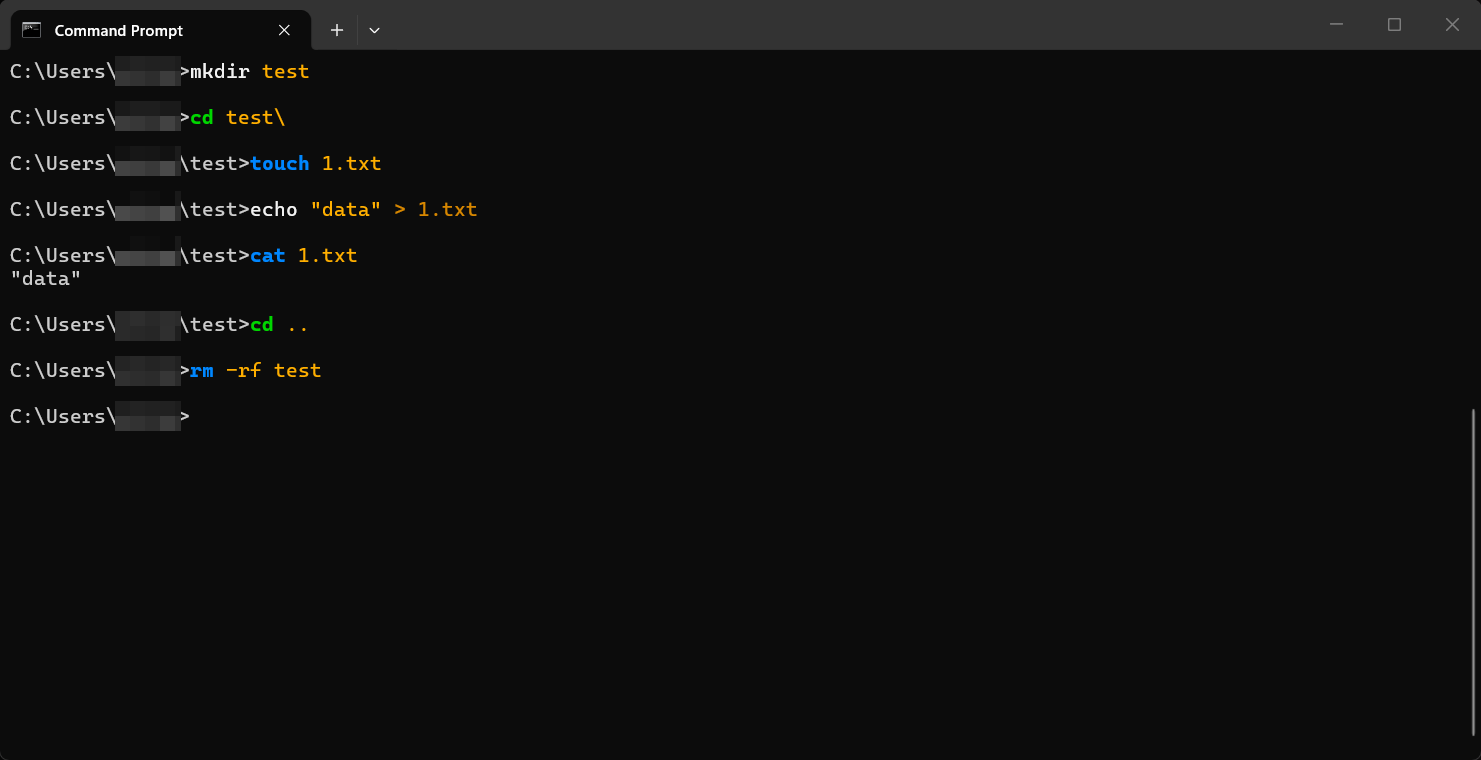
That's it. After install, you've got cat, cp, find, grep, hostname, ls, mv, pwd, rm, sleep, tee, uptime, and a pile of others available natively.
What you don't get — and why
This is where the POSIX/Windows impedance mismatch shows up. Microsoft deliberately left out anything that depends on POSIX semantics Windows doesn't have:
chmod,chown,chroot,tty,who,nohup— no real POSIX permission/ownership/session model to back them, so they'd be lying to you anyway.killandtimeout— Windows has no POSIX signals. Microsoft says these might come later, but for now they're out.dir,more,paste,whoami— these collide with existing Windows commands, so they're not shipped at all.
The omissions are honest, which I appreciate. A fake chmod that silently no-ops would be worse than no chmod.
⚠️ The real gotcha: shell conflicts and PATH ordering
This is the part that'll waste your afternoon if you skip it. Many of these command names — ls, cat, cp, mv, rm, pwd, sleep, tee — already exist as PowerShell aliases or cmd builtins. Whether you actually get the Coreutils version depends on three things stacking up:
- Which shell you're in (
cmd, PowerShell, or a real POSIX shell). - The order of directories in your system
PATH. - The PowerShell alias table, which resolves before
PATHdoes.
In PowerShell, ls is an alias for Get-ChildItem and cat maps to Get-Content. The alias wins before PATH lookup ever happens, so installing Coreutils does not automatically give you GNU ls in a PowerShell prompt. You'll either need to call ls.exe explicitly, remove the alias, or run from a shell that doesn't alias these names. Microsoft published a per-shell compatibility table on the GitHub repo — read it before you assume grep is doing what you think.
There's also the line-ending and file-permission caveat: these tools operate on a filesystem with CRLF habits and no real Unix permission bits. Commands that touch line feeds or assume rwx semantics can behave differently than on Linux. Don't port a script and assume byte-identical output.
Security angle worth flagging
A couple of things stand out from a hardening perspective:
- Single signed binary is a plus. One Microsoft-maintained, WinGet-distributed artifact is far easier to verify and patch than a grab-bag of random third-party coreutils ports people used to pull off questionable sites. The supply-chain story here is better than what most folks were doing before.
- PATH precedence is now a real attack/footgun surface. Once
C:\Program Files\coreutils\is in your PATH, command resolution gets more interesting. If that directory lands early in PATH, you can shadow native Windows tooling; if it lands late, your "Linux" commands silently fall through to Windows builtins. On shared or scripted boxes, be deliberate about where it sits in PATH, especially in anything running with elevated privileges. - False sense of POSIX. Because
chmod/chownare absent rather than faked, you're less likely to get burned — but anyone scripting cross-platform should remember that file permissions and ownership simply aren't enforced the same way. Don't lean on them as a security control on the Windows side.
So is it worth it?
Honest take: for quick, interactive use on a Windows machine — grep-ing a log, find-ing files, chaining cat | cut | tee — it's genuinely nice and faster to reach for than spinning up WSL. For anything that's actually a Linux workload (real permissions, signals, process control, anything POSIX-shaped), WSL or a proper VM is still the right tool, not this.
It's a convenience layer for muscle memory, not a Linux replacement. Treat it as such and it's a solid addition. Microsoft also previewed WSL containers at the same event — native Linux container support on Windows via CLI and API — which is the thing to watch if you want real Linux behavior rather than familiar command names.
References
- Microsoft Coreutils for Windows — GitHub: https://github.com/microsoft/coreutils
- uutils/coreutils project: https://github.com/uutils/coreutils
- Microsoft Windows Developer Blog (Build 2026 announcement): https://blogs.windows.com/windowsdeveloper/2026/06/02/build-2026-furthering-windows-as-the-trusted-platform-for-development/
- BleepingComputer coverage by Lawrence Abrams: https://www.bleepingcomputer.com/news/microsoft/microsofts-coreutils-project-brings-linux-commands-to-windows/