
Hunting Linux Persistence: Past Cron and systemd to Where Attackers Actually Hide

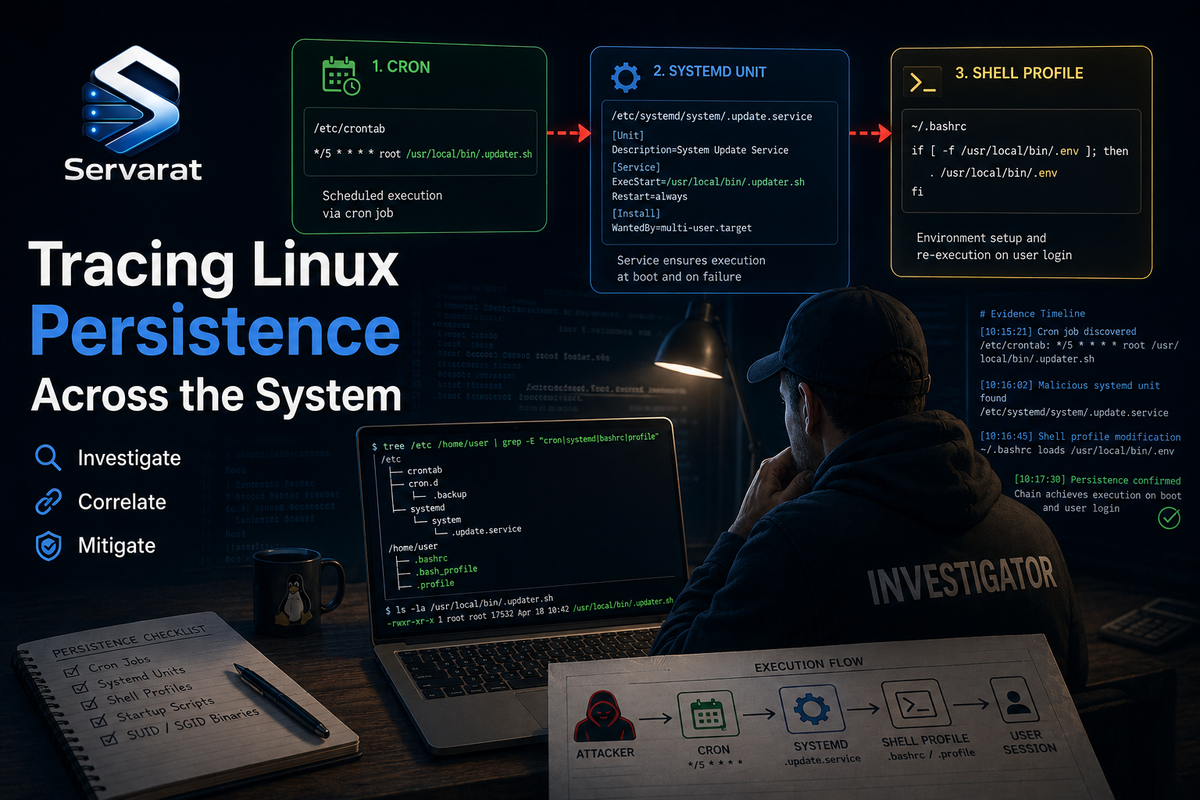
You kill the weird process, wipe the script, reset the password, grab a coffee, and five minutes later it's running again. That's persistence, and it's almost never movie-malware, it's an attacker using the same cron and systemd you use to keep your own systems up. MaK Ulac's LinuxSecurity playbook covers the fundamentals well: preserve before you delete, check services and cron, don't call it "removed" just because a process died. This build keeps that discipline and adds the part that separates a quick look from an actual hunt, the half-dozen persistence locations beyond cron and systemd that attackers reach for precisely because most playbooks stop at cron and systemd, with copy-paste commands to sweep all of them.
This is the same forensic muscle as why Linux servers get compromised and the auditd detection guide, applied to the specific question: where does the thing that keeps coming back actually live?
The Rule That Governs Everything: Preserve Before You Delete
⚠️ Lead with this because getting it wrong destroys your investigation. When persistence is involved, killing the in-memory process is not enough, an automated mechanism is sitting on disk waiting to relaunch it, and its very existence proves the attacker had enough access to change a user or system config. So the investigation has to move past the process you found.
The trap is deleting symptoms while leaving the launcher, or worse, deleting the launcher before capturing it and wiping the paths, timestamps, permissions, and config you needed to understand the intrusion. Before you touch anything suspicious, capture:
- Which account owns the config
- The exact command or script it calls
- How often it runs
- File timestamps (
stat) and permissions - ⚠️ The file hash, and whether it appears on other hosts in your fleet
That last one matters more than it sounds: a hash that shows up on five servers tells you the scope of the intrusion in one query, and separates "old forgotten admin task" from "active campaign across the estate." Grab it before you delete anything:
sha256sum /path/to/suspicious/script > /tmp/ioc-hash.txt; stat /path/to/suspicious/script >> /tmp/ioc-context.txt
The Standard Two: systemd and Cron (Do These, but Faster)
The source's core checks are right. Here they are as fast hunt commands rather than one-at-a-time inspection.
systemd services, list everything, then scrutinize the ExecStart, because a unit named system-update.service means nothing if it launches a script from /tmp:
systemctl list-unit-files --type=service --state=enabled
⚠️ The high-signal sweep: find every service whose ExecStart points somewhere world-writable, the single strongest systemd persistence tell:
grep -rlE 'ExecStart=.*(/tmp/|/dev/shm/|/var/tmp/|/home/)' /etc/systemd/system/ /run/systemd/system/ /usr/lib/systemd/system/ 2>/dev/null
Any hit there is a service launching a payload out of a directory a normal service never runs from. Inspect with systemctl cat (not status, cat shows the real unit file) and check its history with journalctl -u name.
systemd timers, the scheduled-execution cousin, list all and trace anything unfamiliar to the unit it triggers:
systemctl list-timers --all
Cron, more places than people check. User crontabs, system cron, and the drop-in directories:
for u in $(cut -f1 -d: /etc/passwd); do c=$(crontab -u "$u" -l 2>/dev/null); [ -n "$c" ] && echo "=== $u ===" && echo "$c"; done; echo "=== system ==="; cat /etc/crontab /etc/cron.d/* 2>/dev/null; ls -la /etc/cron.{hourly,daily,weekly,monthly}/ 2>/dev/null
⚠️ Read any script a cron entry calls without running it, and follow what it launches next (chained scripts, downloaded binaries, reverse-shell one-liners). The @reboot entries are worth a specific look, they're persistence across reboots that never shows up in a timer or list-timers:
grep -rE '@reboot' /var/spool/cron/ /etc/crontab /etc/cron.d/ 2>/dev/null
Where the Playbooks Stop and Attackers Keep Going
Here's the actual value-add. An attacker who knows you'll check cron and systemd puts persistence elsewhere. These are the spots the source (and most guides) omit, and they're where a competent intruder hides precisely because of that. Sweep every one.
⚠️ systemd user units. Everyone checks /etc/systemd/system. Far fewer check per-user units, which run under a user's session and survive via lingering:
find /home/*/.config/systemd/user /root/.config/systemd/user -name '*.service' -o -name '*.timer' 2>/dev/null; loginctl show-user --property=Linger $(loginctl list-users --no-legend | awk '{print $2}') 2>/dev/null | grep -i 'linger=yes'
⚠️ A user unit plus loginctl enable-linger is persistence that runs with no login and no root, and it's invisible to a root-focused systemctl list-unit-files sweep.
⚠️ Shell profile and rc scripts. The oldest trick, still everywhere: a payload appended to a login/interactive shell file, executed every time someone (often root) logs in:
for f in /etc/profile /etc/bash.bashrc /root/.bashrc /root/.bash_profile /root/.profile /home/*/.bashrc /home/*/.bash_profile /home/*/.profile; do [ -f "$f" ] && echo "=== $f ===" && tail -5 "$f"; done; ls -la /etc/profile.d/
Look at the tail of each, malicious lines are almost always appended at the end. /etc/profile.d/*.sh is a favorite because a new file there looks legitimate.
⚠️ at jobs. The forgotten scheduler. atd runs one-off jobs and attackers use it for delayed or re-arming execution:
atq 2>/dev/null; ls -la /var/spool/cron/atjobs/ /var/spool/at/ 2>/dev/null
⚠️ udev rules. Advanced but real: a udev rule can run a command on a device event (including events that fire at boot), persistence that lives nowhere near cron or systemd's service list:
grep -rlE 'RUN|PROGRAM' /etc/udev/rules.d/ /run/udev/rules.d/ 2>/dev/null | while read f; do echo "=== $f ==="; grep -E 'RUN|PROGRAM' "$f"; done
⚠️ SSH keys and authorized_keys. Not execution persistence but access persistence, an implanted key survives every password rotation you do:
for f in /root/.ssh/authorized_keys /home/*/.ssh/authorized_keys; do [ -f "$f" ] && echo "=== $f ===" && cat "$f"; done
⚠️ This is exactly the bulk-key-implantation persistence from the CyberPanel-style compromises, rotating passwords does nothing if an attacker's key is in authorized_keys across forty accounts. Diff against your known-good keys.
LD_PRELOAD and shared-object hijacks. A library-level backdoor loaded into every process:
cat /etc/ld.so.preload 2>/dev/null; grep -rE 'LD_PRELOAD' /etc/environment /etc/profile /etc/profile.d/ 2>/dev/null
⚠️ A non-empty /etc/ld.so.preload is rare on a clean system and a strong tell, it's how the trojanized-library rootkits I've traced with bpftrace get into every process.
Cutting Through the Noise
Production servers are loud, databases rotate logs, backups fire at midnight, apps restart. Flag everything and you drown. Hunt for baseline breaks instead:
- A service or timer nobody recognizes on a host with a known role.
- A timer firing every few minutes with no reason to exist there.
- Execution out of
/tmp,/dev/shm,/var/tmp. - A cron or unit tied to a service account (
www-data,postgres,nobody) that never normally schedules anything. - A user unit or
authorized_keysentry on an account that shouldn't have either.
None of these prove compromise, they tell you where to dig. The fleet-hash check is what converts a single finding into scope: same artifact on one box is a lead, on ten boxes it's a campaign.
Respond Without Destroying the Case
Once evidence is preserved, contain in order: disable/remove the persistence mechanism, stop the running services, rotate exposed credentials, and isolate the host if it's still talking to external infrastructure.
⚠️ Removing persistence is not recovery. If you establish the attacker had root and you cannot fully account for what else changed, stop trusting the host, a hunt finds the persistence you know to look for, not the kernel module or trojanized binary you don't. Rebuilding from known-good is routinely safer than manual cleaning, the same conclusion I reach in every serious compromise writeup. And ⚠️ when you report up, don't say "malware found and removed" because you killed a process. Say: an unauthorized persistence mechanism was found, here's the account it ran under, here are the impacted hosts, here's what we're still investigating.
Harden So the Next One Is Louder
- Baseline the services, timers, cron jobs, user units, and authorized_keys that belong on important hosts, so a new one stands out.
- Monitor changes to crontabs, unit files,
authorized_keys, and/etc/ld.so.preloadwith auditd or a file-integrity tool, the auditd rules for exactly this are worth deploying fleet-wide. - ⚠️ Ship logs off-host. If the local machine is your only evidence source, an attacker who reaches root controls your evidence, the whole argument for tamper-resistant, off-host logging.
Bottom Line
The process you killed is the symptom; the persistence is the disease, and on a competent intrusion it's rarely sitting in the first place you look. Preserve context and hashes before deleting anything, sweep cron and systemd fast, then keep going to the spots the playbooks skip: systemd user units with lingering, profile and profile.d scripts, @reboot and at jobs, udev RUN rules, implanted SSH keys, and ld.so.preload. Use the fleet-hash check to size the intrusion, and remember that finding persistence tells you the attacker had enough access that the host may not be trustworthy at all. Clean if you can prove scope; rebuild when you can't.
References
- LinuxSecurity: Detecting Persistence on Linux Hosts, A Security Playbook for Cron and systemd (source, by MaK Ulac)
- MITRE ATT&CK: T1053 Scheduled Task/Job
- MITRE ATT&CK: T1543.002 Systemd Service
- MITRE ATT&CK: T1546.004 Unix Shell Configuration Modification
- systemd.unit and User Units Documentation
- man 5 crontab



