How to Stop a Process Blocking a Port in Linux

The "Address Already in Use" Problem
You restart a service, get Address already in use, and now something's squatting on port 8080 that you need to find and kill—without rebooting the whole machine.
This happens constantly. The fix is straightforward once you know the commands, and there are three solid approaches depending on what's installed on the box.
Find What's on the Port First
Before you kill anything, know what owns the port. Guessing and killing random PIDs is how you break production.
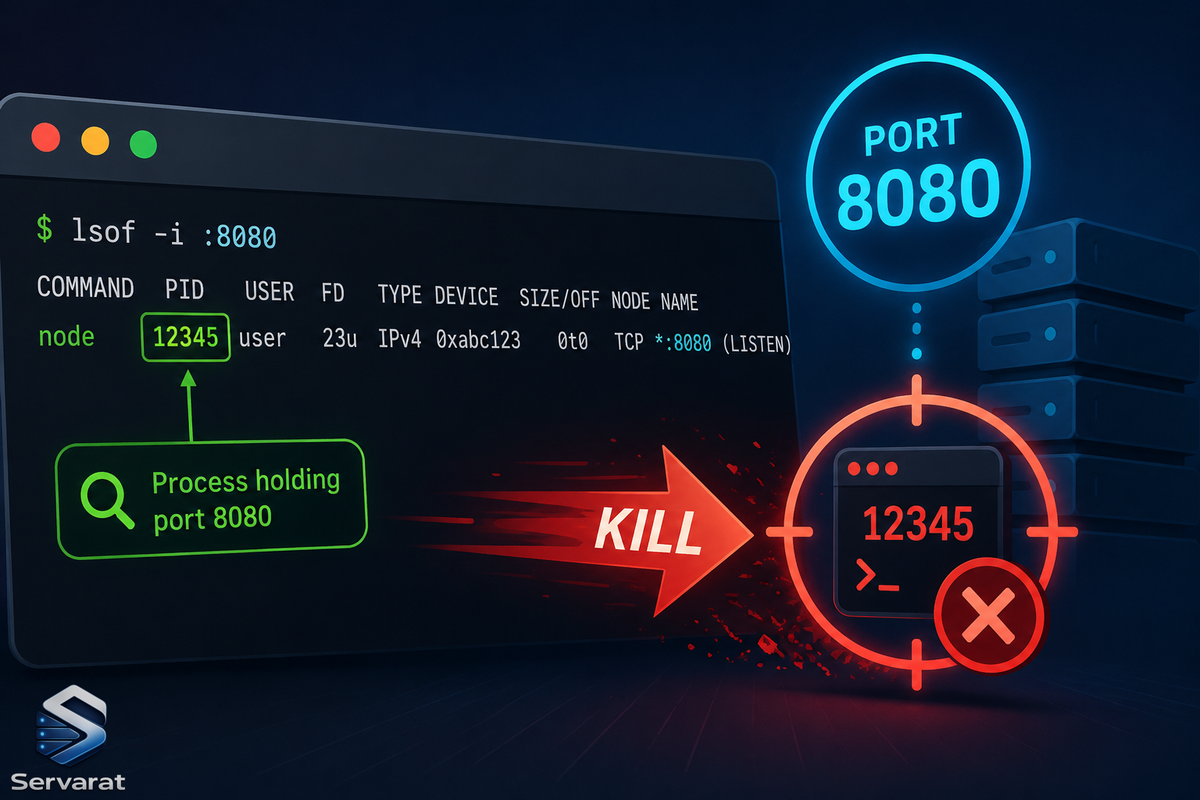
lsof is the most common tool for this and ships on almost every Linux system by default:
sudo lsof -i :8080
The sudo runs with root privileges so lsof can see processes owned by other users, not just yours. Without it you'll only see your own processes, which usually isn't what you want.
COMMAND   PID     USER   FD   TYPE DEVICE SIZE/OFF NODE NAME
node     3821    ravi   22u  IPv6  54312      0t0  TCP *:8080 (LISTEN)
That tells you everything: node is the process, 3821 is the PID you'll kill, and LISTEN confirms it's actively holding the port. If you see ESTABLISHED instead, the process has an active connection through that port.
If lsof isn't installed, use ss (part of iproute2, present on essentially every modern Linux system):
sudo ss -tulnp | grep :8080
What each flag does: -t shows TCP sockets, -u shows UDP, -l shows only listening sockets, -n shows port numbers instead of service names, -p shows the process using the socket.
tcp LISTEN 0 128 0.0.0.0:8080 0.0.0.0:* users:(("node",pid=3821,fd=22))
The pid=3821 at the end is what you're after. Same process, different tool.
Kill It with kill
Once you have the PID, kill is the direct approach. By default it sends SIGTERM (signal 15), which asks the process to shut down cleanly and flush open file handles or connections before exiting:
kill 3821
No output means it worked. Confirm:
lsof -i :8080
If the process ignores SIGTERM and the port is still occupied after a few seconds, force it with SIGKILL (signal 9), which terminates immediately without giving it a chance to clean up:
kill -9 3821
⚠️ SIGKILL can't be caught or blocked, so it works every time—but the process gets no chance to write pending data to disk or close database connections cleanly. Last resort, not first move. ⚠️ This matters most for stateful processes: SIGKILL on a database, a message broker, or anything mid-write can leave corrupt state or an unclean shutdown that costs you more time than the few seconds you saved. Give SIGTERM a real chance first.
Kill It Directly with fuser
fuser skips the two-step approach. Give it the port and it kills whatever's using it—no PID lookup:
sudo fuser -k 8080/tcp
-k sends SIGTERM to every process using that port; 8080/tcp is the port and protocol.
8080/tcp: 3821
It prints the PID it killed and exits. For SIGKILL instead, add -9:
sudo fuser -k -9 8080/tcp
fuser may not be installed on minimal server builds:
sudo apt install psmisc
sudo dnf install psmisc
⚠️ fuser -k kills every process on that port with no confirmation and no chance to eyeball what you're about to terminate. On a shared or production host that's a footgun—run sudo fuser 8080/tcp (without -k) first to see what it'll hit, then add -k.
The One-Liner: lsof and kill Together
To skip the manual lookup and kill in a single command, combine lsof and kill with command substitution:
sudo kill -9 $(sudo lsof -t -i :8080)
The -t flag makes lsof output only the PID—a clean number to pass to kill. $(...) runs the inner command and passes its output as an argument. kill -9 sends SIGKILL to whatever PID comes back.
If the port comes back empty afterward, the process is gone. If you get kill: usage or a syntax error, the port was already free and lsof returned nothing, so kill had no argument to work with.
⚠️ Two things about this one-liner. First, it hardcodes -9, so it inherits every SIGKILL caveat above—reach for the SIGTERM version (sudo kill $(sudo lsof -t -i :8080)) first on anything stateful. Second, if multiple processes share the port (rare, but it happens with SO_REUSEPORT), lsof -t returns multiple PIDs and this kills all of them at once. Usually what you want; occasionally not.
A Safer Default Workflow
For production work, the sequence that avoids the most damage:
- Identify first:
sudo lsof -i :8080(orsudo ss -tulnp | grep :8080). Look at theCOMMANDand confirm it's what you think it is. - Try clean shutdown:
kill <PID>(SIGTERM). Wait a few seconds. - Re-check:
lsof -i :8080. If it's gone, you're done. - Force only if needed:
kill -9 <PID>(SIGKILL), accepting it won't clean up.
⚠️ Where possible, prefer stopping the service through its manager (systemctl stop <service>) over killing the PID directly. systemd restarts processes under a Restart= policy, so a killed PID may respawn instantly and reclaim the port, making it look like your kill failed. If a service keeps coming back on the port, stop the unit, don't fight the supervisor.
Conclusion
Three working approaches: lsof or ss to identify the PID, kill to terminate by PID, fuser to kill by port directly, and the lsof + kill one-liner for a single command.
Try it now: spin up any service on port 8080 (python3 -m http.server 8080 works if you have Python), run sudo lsof -i :8080, grab the PID, kill it. Do it a few times and the muscle memory sticks faster than any bookmark.