
Building Tamper-Resistant Logging on Linux

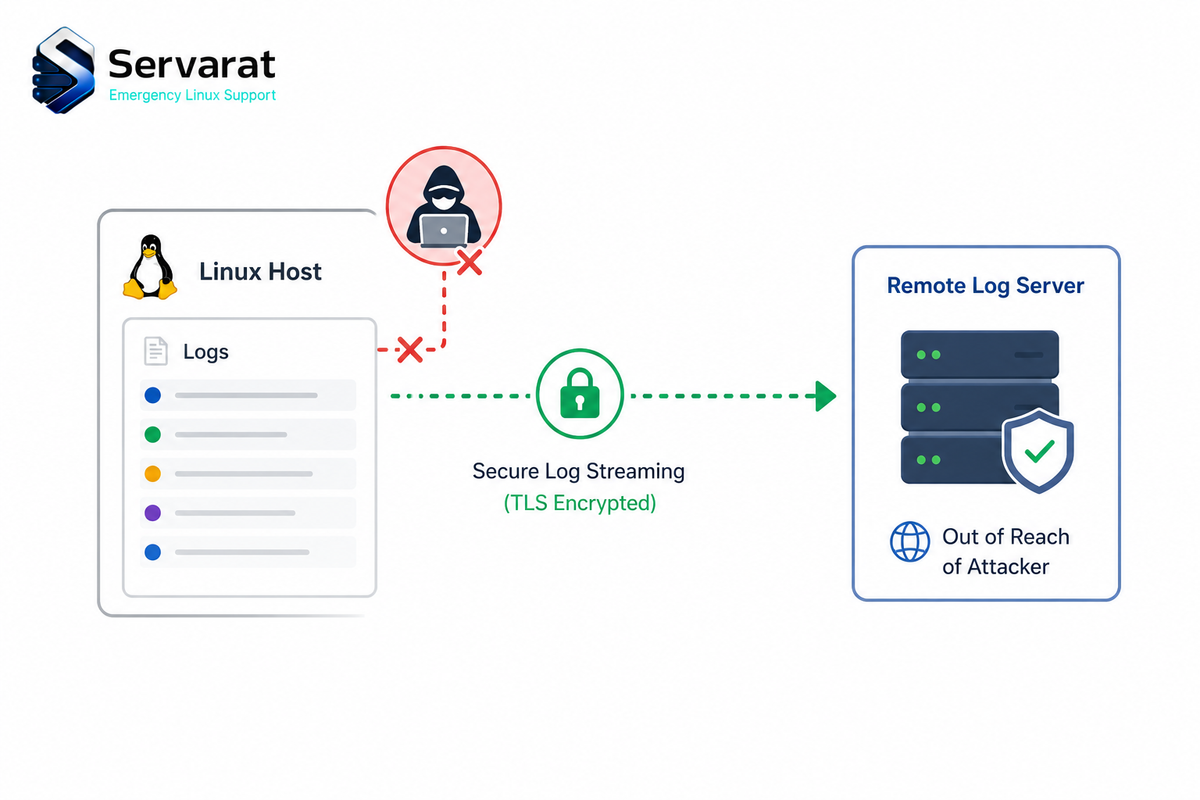
During an incident, your logs are the one thing you need to trust, and attackers know it. The first move after getting root is almost always to wipe the evidence. If you're not actively protecting your logs, you're blind the moment a breach happens, and there's no worse feeling in a post-mortem than realizing the attacker cleared the trail before you ever looked. This is how to lock logging down so the audit trail survives even a fully compromised host.
This is the other half of catching a compromise early with auditd, that piece ends on "forward logs off-host in real time" as the thing that saves the investigation. This one builds that out properly.
The Strategy: Layered Defense
No single control makes logs tamper-proof. The goal is to stack layers so the cost of destroying the trail is higher than the attacker can pay in the time they have:
- Centralized logging puts evidence off-host, out of reach.
- Service resilience keeps the logging daemon from being trivially killed.
- Immutable local storage adds speed bumps to slow local tampering.
- Active monitoring catches the tampering attempt, or the sudden silence, the moment it happens.
1. The Golden Rule: Centralized Remote Logging
Local logs are a liability. Stream them to a dedicated central server, ideally one where even admins can't easily rewrite what's already been written, and an attacker wiping the local disk finds the evidence already archived somewhere they can't reach.
Configure rsyslog for TLS forwarding. Edit /etc/rsyslog.conf:
# Encrypted transport via TCP
$ActionSendStreamDriver gtls
$ActionSendStreamDriverMode 1
$ActionSendStreamDriverAuthMode x509/name
*.* @@logserver.example.com:514
⚠️ Use TCP (@@), not UDP (@). UDP syslog is fire-and-forget, so you drop packets the second the network gets busy, and audit logs are exactly what you can't afford to lose. TCP plus TLS on top is the combination that both guarantees delivery and stops someone sniffing or spoofing the log stream in transit.
⚠️ Don't wing the TLS setup. If the client and server aren't anchored to the same Certificate Authority, the connection simply won't establish. Check your distro's docs on cert handling first rather than forcing it and hoping.
Verify the pipeline actually works before you trust it. On the client:
logger "Test log message"
Then on the central server, tail whatever your setup uses (journalctl, your SIEM, or /var/log/syslog / /var/log/messages):
tail -f /var/log/syslog
If the test message doesn't appear, the pipeline is broken and you're back to trusting local logs without knowing it.
2. Service Resilience: Make the Daemon Stick
Attackers kill the logging service to stop the flow. Use systemd to make it self-healing. (This uses rsyslog; the same logic applies to journald if you manage it directly.)
sudo systemctl edit rsyslog
Add:
[Service]
Restart=always
RestartSec=1
StartLimitBurst=5
StartLimitIntervalSec=10
This restarts the daemon immediately if it's killed. ⚠️ A root user can still override this, so it isn't a hard block, but it forces them to keep fighting the system instead of killing logging once and walking away, and every restart is more noise for your monitoring to catch. That's the point of the layer: raise the cost and the visibility, not build an impenetrable wall.
Verify by killing it and watching it come back:
sudo pkill rsyslog && systemctl status rsyslog
3. Local Speed Bumps: Append-Only Attributes
For sensitive logs that must live locally, the append-only file attribute stops in-place edits and truncation while still allowing new lines to be written:
sudo chattr +a /var/log/auth.log
With +a set, even root can't overwrite or truncate the file without first removing the attribute, which is an extra step (and an auditable one) rather than a simple > /var/log/auth.log.
⚠️ The critical gotcha: an append-only log file breaks logrotate. Rotation needs to rename and recreate the file, which +a forbids, so the file grows forever and eventually fills the disk or crashes services. If you set +a, you must either configure logrotate to remove and reapply the attribute around rotation (a prerotate/postrotate hook running chattr -a then chattr +a), or accept manual management. Never set +a and walk away.
4. Detecting Log Silence
A sudden stop in log volume is often the earliest indicator of compromise, an absence of logs is as suspicious as malicious entries. If you're not running a full SIEM, a simple cron heartbeat catches a dead logging service:
pgrep -f rsyslog > /dev/null || logger -p crit "CRITICAL: Logging service is down!"
Hook that logger line into real alerting (Prometheus, Zabbix, a Slack webhook) so you know within seconds when logging goes dark rather than discovering it during the incident. This pairs naturally with the kind of uptime and service monitoring I set up in monitoring Docker containers in Uptime Kuma, the logging daemon is exactly the kind of critical service whose silence should page you.
5. auditd: Catch the Tamperer
auditd is one of the most effective tools for spotting unauthorized changes to log files themselves. Add a watch to /etc/audit/rules.d/audit.rules:
-w /var/log/auth.log -p wa -k log-tamper
Then review who touched the file:
sudo ausearch -k log-tamper -i
That shows exactly which account or process wrote to or attempted to modify the file, which is the detection side of the auditd file-watch approach from the compromise-detection guide, applied to your logs specifically. If your own logs show a write from a process that has no business touching them, that's a high-confidence tamper signal.
Common Mistakes
⚠️ The UDP trap. UDP for production logging loses data under load. Prefer TCP, or better, RELP (Reliable Event Logging Protocol), which gives stronger delivery guarantees than plain syslog-over-TCP by acknowledging receipt at the application layer rather than just the transport.
⚠️ Ignoring rotation. As above, chattr +a without a logrotate strategy fills the disk. This is the single most common way this hardening backfires.
⚠️ Assuming local safety. No local log is trustworthy once the host is compromised. Every local control here is a speed bump, not a guarantee. Centralization is the only real insurance, and it's why remote forwarding is layer one, not an afterthought.
Implementation Checklist
- Remote logging over TLS/TCP, verified with a test message landing on the central server.
- Resilience via systemd
Restart=alwayson the logging daemon. - Log-silence alerting wired into your notification system.
- auditd watch rules on critical log files.
- Append-only attributes on must-stay-local logs, integrated with logrotate so they self-manage.
Bottom Line
Tamper-resistant logging is layered by necessity: remote TLS forwarding gets the evidence off-host where root can't reach it, a self-healing daemon and append-only attributes slow local destruction, and silence-detection plus auditd watches turn a tampering attempt into an alert instead of a gap you find weeks later. Do the remote forwarding first and verify it actually works, because once an attacker has root, everything you kept only on that box is one command away from gone. The rest of the layers buy you time and visibility; centralization buys you the evidence itself.



