
The Hidden Security Risks of Self-Hosting Everything

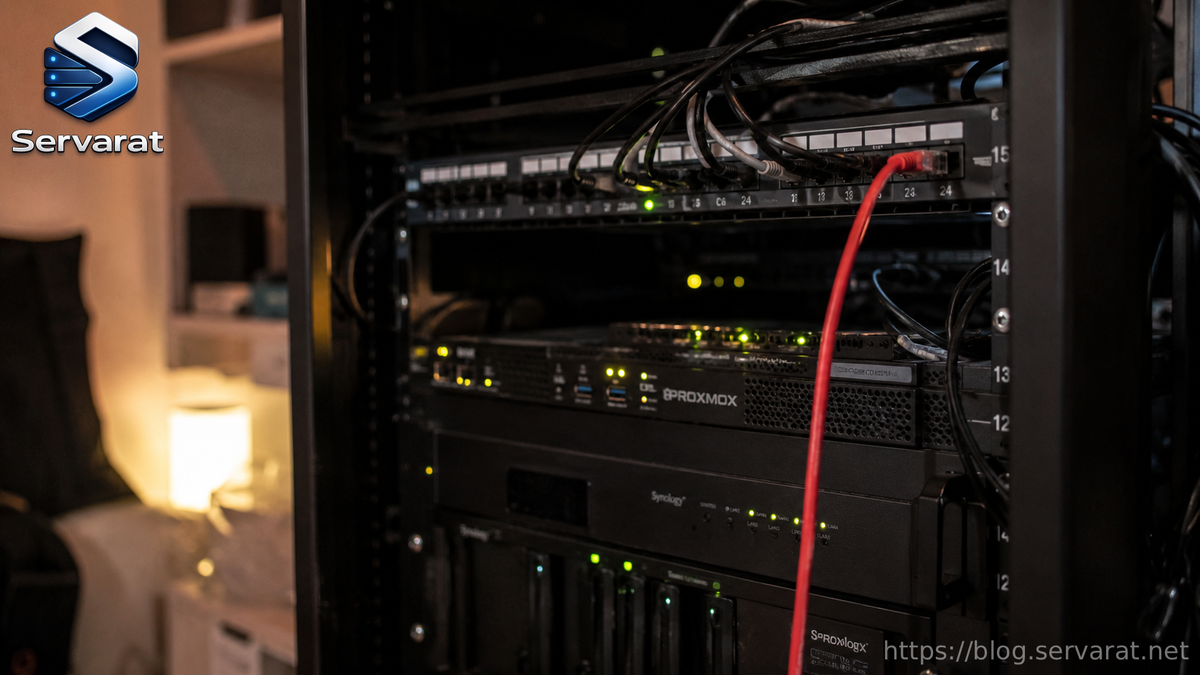
A few years back, self-hosting was a niche thing. You'd run Nextcloud on an old laptop, brag about it on a forum, and move on. Now it's practically a movement. Every other thread is someone pulling their photos off Google, their notes off Notion, their passwords off a SaaS vault, and stuffing it all onto a box in their closet or a cheap VPS in France. I get the appeal. I've done it. Half my own infrastructure is self-hosted and I'd defend that choice in a heartbeat.
But there's a part of this story that doesn't make it into the slick "de-Google your life" videos, and it's the part I keep running into when I'm cleaning up after a breach: the moment you self-host something, you sign up to be its security team. All of it. Forever. And most people doing this are a team of one with a day job.
Here's what actually goes wrong.
You're not just an admin anymore, you're the whole SOC
When you use a managed service, an entire team you'll never meet is patching, monitoring, and watching logs at 3 a.m. so you don't have to. The second you move that workload onto your own box, that responsibility doesn't disappear. It just lands on you.
That's fine if you treat it seriously. The problem is the gap between running a service and securing it. Getting Vaultwarden up with a docker-compose file takes ten minutes. Knowing that it's now sitting behind a reverse proxy you misconfigured, with a database nobody's backing up, on a host that hasn't seen an update in five weeks? That takes experience, and it usually arrives the hard way.
I've done incident response on servers where the owner genuinely had no idea they'd been popped weeks earlier. The box was happily mining Monero and acting as part of a botnet, and the only reason anyone noticed was a bandwidth bill. Self-hosting without monitoring isn't private. It's just unobserved.
Your attack surface grows quietly
Every service you add is another login page, another open port, another piece of software with its own CVE history. One app feels harmless. By the time you've got Nextcloud, Jellyfin, a Git server, monitoring, a wiki, and a couple of dashboards, you're running a dozen internet-facing applications written by a dozen different teams of wildly varying security maturity.
The risky ones are rarely the big, well-funded projects. It's the cute little dashboard with 400 GitHub stars that hasn't had a commit since 2023, the one you exposed publicly "just to check it from my phone." That's the door people walk through.
⚠️ A good rule: if a service doesn't need to be on the public internet, it shouldn't be. Put it behind a VPN like WireGuard or Tailscale and you've removed an entire category of risk for free.
The Docker socket is a loaded gun pointed at your host
This one deserves its own section because so many people get it wrong, and it's catastrophic when they do.
Mounting the Docker socket into a container looks innocent. Plenty of tools ask for it: monitoring stacks, reverse-proxy auto-config, dashboards. The line shows up in a compose file and people paste it without thinking:
volumes:
  - /var/run/docker.sock:/var/run/docker.sock
What that actually grants is full control of the Docker daemon, which runs as root. A container with the socket can spin up a new privileged container, mount your host filesystem, and read or write anything. Container escape stops being a clever exploit chain and becomes a one-liner. If that container has a vulnerability, or you're pulling an image you didn't audit, you've handed over the whole machine.
If a tool genuinely needs Docker info, put a proxy in front of it that only exposes the read-only endpoints it actually uses:
socket-proxy:
  image: tecnativa/docker-socket-proxy
  environment:
    CONTAINERS: 1
    POST: 0
  volumes:
    - /var/run/docker.sock:/var/run/docker.sock:ro
Now your dashboard can list containers without being able to create one. Different risk profile entirely.
"I'll change the default password later"
You won't. We both know you won't.
A huge share of self-hosted compromises aren't sophisticated. They're an exposed admin panel with admin/admin, a database listening on 0.0.0.0 with no password because it was "just for testing," or a .env file with the original example secret still in it. Automated scanners find these in minutes. The internet is constantly being swept, and your shiny new IP gets probed the moment it starts answering.
Before anything touches a public interface:
- Change every default credential, including the ones buried in example config files.
- Bind databases and internal services to
127.0.0.1or a private network, never0.0.0.0. - Generate real secrets (
openssl rand -base64 32) instead of reusing whatever the README suggested. - Turn off any default dashboard or debug endpoint you're not using.
None of this is glamorous. All of it matters more than the fancy stuff.
Patching is now a chore that never ends
Managed services get patched the day a fix drops. Your stack gets patched when you remember to, which for most people means "after something breaks" or "never."
The mental model that helps: every container image and every package is a clock counting down to its next vulnerability. latest tags are a trap because you have no idea what you're actually running or whether yesterday's docker pull quietly changed it under you. Pin versions, watch the release notes for anything you expose, and set aside actual time for updates instead of treating them as an emergency.
A simple unattended-upgrades setup on the host, plus something like Watchtower or a scheduled docker compose pull for containers, beats good intentions. Automate the boring patching so the only updates you have to think about are the ones that might break things.
Backups you've never restored are a comforting lie
This isn't a security risk in the firewall sense, but it's the thing that turns an incident into a disaster, so it counts.
Self-hosting concentrates everything onto a small number of machines you own. That's the whole point, and it's also the problem. When ransomware hits a self-hosted setup, or a disk dies, or you fat-finger a rm -rf in the wrong directory, there's no support line. There's just you and whatever backups you actually have.
I've watched people lose years of data because their "backup" was a second copy on the same machine, or a borg repository they'd never once tested a restore from. A backup you haven't restored is a hypothesis, not a backup.
⚠️ Follow 3-2-1 and mean it: three copies, two different media, one off-site and ideally offline or immutable. Ransomware that can reach your backups will encrypt them too, so an append-only or air-gapped copy is what saves you when everything else is on fire.
One box, everything on it
The thing that makes self-hosting elegant is also what makes it dangerous: the blast radius. When all your eggs are on one Proxmox node or one VPS, a single compromise touches everything. Your password manager, your files, your photos, your email, sitting on the same host that's running that abandoned dashboard you forgot about.
Segment what you can. Sensitive services (a password vault, anything with personal documents) shouldn't share a trust boundary with experimental junk you're just kicking the tires on. Separate VMs, separate networks, or at minimum proper Docker network isolation. The goal is simple: when one thing gets popped, it shouldn't hand over the rest.
So, should you stop self-hosting?
No. I'm not writing this to scare anyone back into the arms of Big Tech. Self-hosting is one of the best ways to actually understand how systems work, and owning your own data is a genuinely good instinct.
The honest take is this: self-hosting doesn't remove risk, it relocates it. You're trading a vendor's risk profile for your own. That can absolutely be a better deal, but only if you're willing to do the unglamorous work that the vendor was quietly doing all along. Patch the things. Lock the doors. Test the backups. Assume you'll eventually be breached and build so that when it happens, it's an annoyance instead of an extinction event.
Do that, and self-hosting is one of the most empowering things you can run. Skip it, and you've just built a very personal liability with a public IP.
References
- OWASP — Application Security Verification Standard and Top Ten
- Docker Documentation — Docker daemon security and rootless mode
- CIS Benchmarks — Docker and Linux hardening guides
- WireGuard / Tailscale documentation — private network access patterns



